Best AI Tools for Freelancers to Save Time and Improve Productivity in 2026
AI Tools for Freelancers: The Complete Guide to Working Smarter, Earning More, and Scaling Without Burning Out
A practical, no-fluff guide to choosing and using AI Tools for Freelancers in 2026 — covering the best platforms, workflow frameworks, stack-building strategy, ROI math, and a step-by-step 90-day implementation plan for every type of independent professional.
What Are AI Tools for Freelancers?
AI Tools for Freelancers are software applications powered by artificial intelligence that help independent professionals automate repetitive tasks, produce higher-quality work faster, communicate more professionally with clients, and run more efficient businesses — without hiring additional staff.
Here’s what most people get wrong about this category. They assume “AI tools” means chatbots that write articles for you. In practice, AI Tools for Freelancers cover a far wider surface area: client communication, research, design, code generation, workflow automation, financial planning, proposal writing, SEO optimization, and project management — often simultaneously.
The defining characteristic of a genuinely useful AI tool isn’t raw capability. It’s fit. A tool that saves a freelance developer two hours of debugging per day is worth far more than a generalist platform that a social media manager uses to brainstorm three captions per week. Choosing the right AI Tools for Freelancers starts by understanding what that means for your specific work — not what’s trending on LinkedIn.
The Core Problem AI Tools Solve for Freelancers
Independent professionals face a structural disadvantage that salaried employees don’t: every hour spent on administration, research, and communication is an hour not spent on billable work. A freelancer who earns $75 per hour but spends three hours daily on non-billable tasks is effectively losing $225 every day. AI Tools for Freelancers attack that gap directly.
Note: figures represent illustrative estimates based on current industry observations. Individual results vary significantly by profession, workload, and implementation quality.
The goal isn’t to automate your expertise away. The goal is to protect your most productive hours by offloading tasks that don’t require the judgment, creativity, and relationship intelligence you’ve built over years. That’s the value proposition of AI Tools for Freelancers, and it explains why the adoption rate among top earners in the freelance market has accelerated substantially in 2025–2026.
Why Right Now Is the Tipping Point for AI Tools for Freelancers
There have always been productivity tools. What’s different now is the quality-to-cost ratio. Three years ago, AI assistants produced outputs that required heavy correction and still felt robotic. Today, the gap between AI-assisted drafts and human-polished work has narrowed dramatically — particularly in writing, research, code documentation, and design iteration.
That matters for freelancers because the economics have shifted. Using AI Tools for Freelancers is no longer a curiosity or an experiment. It’s becoming a baseline competitive expectation. Clients who previously compared two freelancers based on portfolio quality are now sometimes comparing freelancers who use AI-assisted workflows (faster delivery, cleaner proposals, more responsive communication) against those who don’t.
Freelancers who integrate AI into their client-facing processes — faster proposals, cleaner deliverables, more consistent communication — are increasingly perceived as more professional, not less human. The risk of ignoring AI Tools for Freelancers is no longer primarily about missing productivity; it’s about competitive positioning.
The Freelancing Market Is More Competitive Than Ever
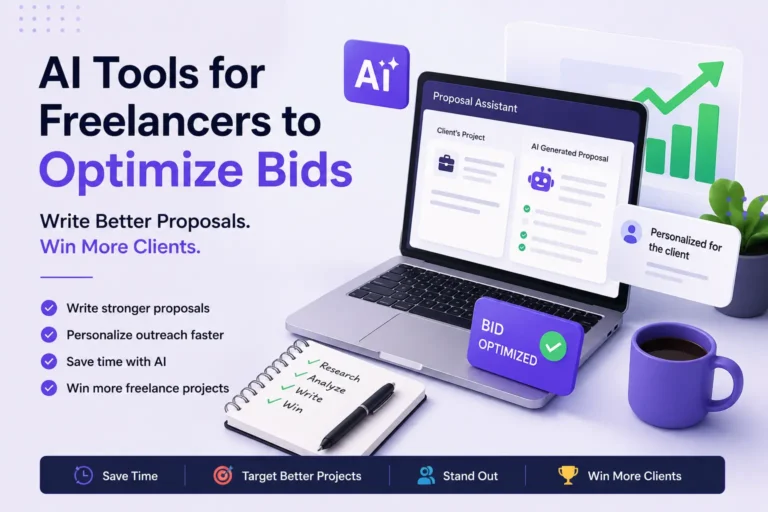
Platforms like Upwork, Fiverr, Toptal, and Contra have expanded their global talent pools. Clients can access skilled freelancers from dozens of countries simultaneously. Winning isn’t only about skill anymore — it’s about responsiveness, proposal quality, communication reliability, and delivery speed. All four of those dimensions are areas where AI Tools for Freelancers create measurable advantages.
If you’re building or growing a freelance business in 2026, understanding which AI Tools for Freelancers are worth your investment — and which ones are overhyped — is one of the highest-ROI skills you can develop. That’s what this guide is designed to give you. Start with our overview of the best websites for freelancers to understand the platforms where these advantages play out.
Core Benefits of AI Tools for Freelancers — and What They Actually Change
Most guides in this space list surface-level benefits. Let’s go deeper and explain what actually changes when freelancers integrate AI tools properly — and what doesn’t change no matter which tools you use.
What Changes: Time Recovery
The most immediate benefit of AI Tools for Freelancers is time recovery, not time savings in a vague sense. Specifically, you recover time from tasks with low creative value but high volume: email drafting, research synthesis, proposal formatting, outline creation, invoicing language, first-pass editing. Even recovering two hours per day — reallocated to billable work or client acquisition — changes the economics of a freelance business dramatically over a month.
What Changes: Communication Quality at Scale
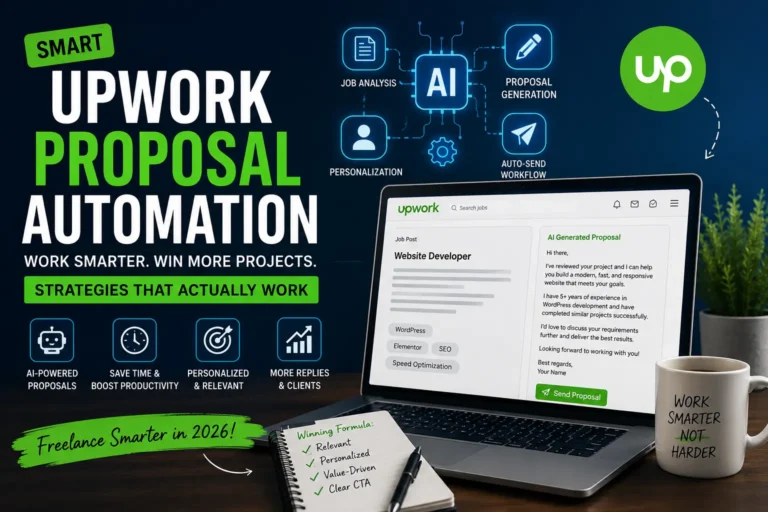
One underrated benefit of AI Tools for Freelancers is the ability to communicate at a higher standard without spending more time on communication. A freelancer who consistently responds with clear, well-structured messages earns more trust — and trust translates directly into higher retention, referrals, and premium pricing. AI-assisted emails and proposals don’t replace your voice; they give you a stronger starting point, which you then refine with your own tone and context. Our breakdown of Upwork proposal automation shows what this looks like in practice.
What Changes: Your Ceiling on Capacity
Without AI tools, a solo freelancer’s capacity is limited by available hours. With AI Tools for Freelancers, that ceiling rises — not because AI does your work, but because AI handles the administrative overhead that previously consumed time equivalent to a part-time job. Writers can take on two more articles per month. Developers can handle an additional retainer client. Designers can process revisions faster, reducing the turnaround cost of every project.
Writers & Copywriters
Recover time from research, outlining, SEO structuring, and first-pass editing. Focus human effort on voice, originality, and argument quality.
Graphic Designers
Reduce time on mockup iterations, background removal, asset generation, and content calendar planning. Reserve creative judgment for design decisions that actually matter.
Web Developers
Use AI for documentation, boilerplate generation, code explanation, and debugging support. Spend your hours on architecture and client communication.
SEO Consultants
Accelerate keyword research, content briefing, competitive analysis, and reporting. Focus your expertise on strategy and interpretation.
Virtual Assistants
Handle email triage, scheduling, drafting, and data organization faster. Scale to more clients without proportional time increase.
Marketing Consultants
Accelerate campaign ideation, reporting, and client presentations. Use saved time for strategic advisory work that commands higher rates.
What Doesn’t Change: Client Relationships
Here’s the honest truth about AI Tools for Freelancers that most guides skip. AI does not improve client relationships. It can support them — through better communication, faster responses, cleaner deliverables — but the relationship itself is still built on trust, consistency, reliability, and human understanding of what the client actually needs. No AI tool changes that. Freelancers who assume that better tools automatically translate to better clients are usually disappointed. The tools amplify what you already bring to the table. They don’t replace it.
How AI Is Reshaping Freelance Workflows in 2026
The freelancers seeing the biggest gains from AI Tools for Freelancers aren’t the ones using the most platforms. They’re the ones who’ve redesigned their workflows around AI assistance at specific points — without disrupting the parts of their process that genuinely require human judgment.
The modern AI-integrated freelance workflow isn’t about replacing steps. It’s about accelerating them at the right moments.
Notice that the human is never removed from the workflow. The AI handles research synthesis, structural scaffolding, quality checking, and administrative communication. The freelancer handles brief analysis, creative judgment, client-specific customization, and final approval. This division of labor is the core of what makes AI Tools for Freelancers genuinely productive — rather than just generating content that needs to be almost entirely rewritten.
Workflow Example: Freelance Content Writer
A content writer producing a 3,000-word SEO article typically spends about 40% of their time on research and structuring — tasks that AI handles effectively. Using AI Tools for Freelancers, that percentage drops dramatically, and the writer redirects that time toward developing stronger arguments, more original examples, and better narrative flow. The output improves, and the time investment per article decreases. That’s the compound benefit — not just faster work, but often better work, because human energy is concentrated where it creates the most value.
Workflow Example: Freelance Developer
Developers face a different version of this problem. Significant time goes toward reading documentation, writing boilerplate, explaining code in comments, and debugging repetitive error patterns. AI Tools for Freelancers — particularly GitHub Copilot and Claude — handle all of that with reasonable accuracy. The developer’s hours shift toward architecture decisions, client communication, and the genuinely complex problem-solving that distinguishes a senior developer from a junior one.
Can AI Replace Freelancers?
No — but this question deserves a more honest answer than most guides provide. AI can replace freelancers who are primarily executing low-complexity, highly repetitive tasks without adding strategic judgment or creative differentiation. If your freelance work is essentially template execution, AI is a legitimate competitive threat. If your work involves strategic thinking, original creative direction, client relationship management, or niche expertise, AI is a tool, not a replacement. The freelancers most at risk are those in the middle — who produce volume without differentiating their judgment — and the ones most protected are those who compete on expertise and relationship quality.
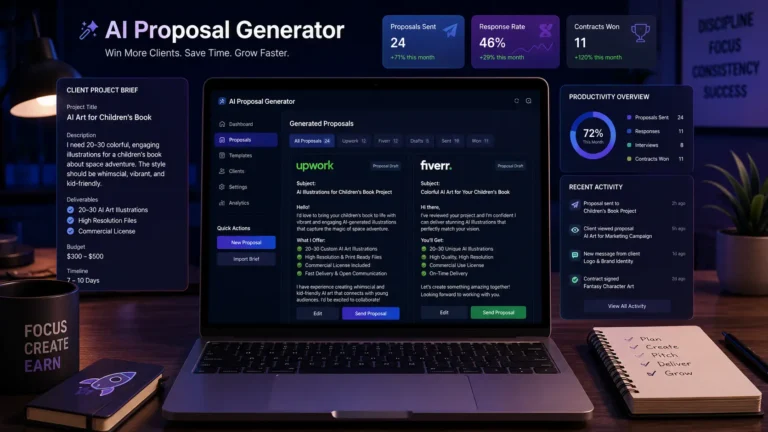
Tired of writing proposals from scratch?
Our AI proposal generator turns client briefs into polished, personalized pitches in minutes. Spend your recovered time landing more clients — not formatting documents.
Try the AI Proposal Generator →Best AI Tools for Freelancers in 2026: An Honest Assessment
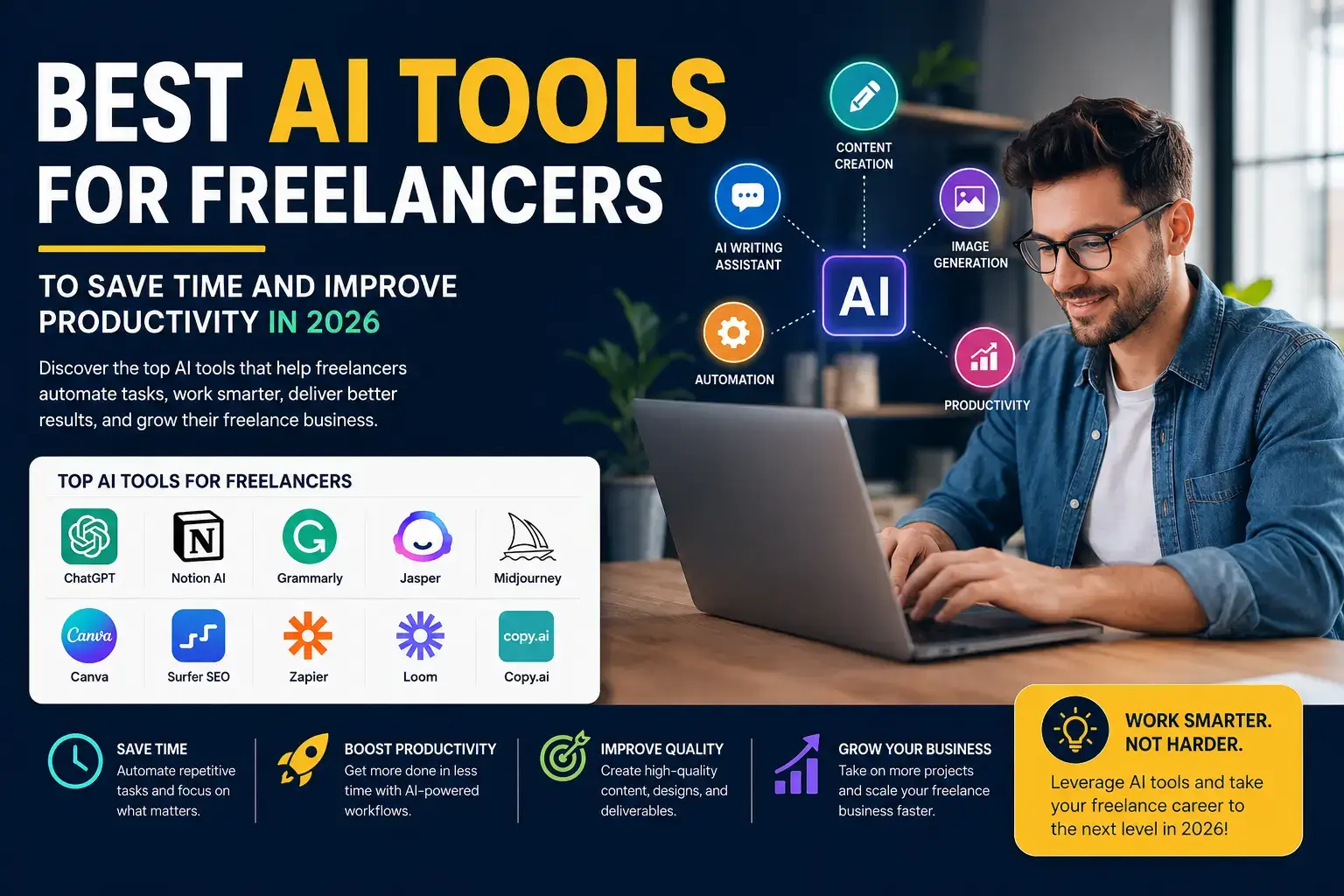
The best AI tools for freelancers in 2026 are ChatGPT (best overall), Claude (best for long-form writing), GitHub Copilot (best for developers), Canva AI (best for designers), Perplexity (best for research), Grammarly (best for editing), Notion AI (best for organization), and Zapier or Make (best for automation). The right combination depends entirely on your profession and the specific tasks consuming the most time in your workflow.
| AI Tool | Best For | Free Plan | Paid From | Verdict |
|---|---|---|---|---|
| ChatGPT | Writing, research, brainstorming, proposals | Yes | ~$20/mo | Best Overall |
| Claude | Long-form writing, document analysis, nuanced editing | Yes | ~$20/mo | Best for Writers |
| Google Gemini | Google Workspace integration | Yes | ~$20/mo | Best for Google Users |
| Microsoft Copilot | Office 365 automation | Limited | ~$30/mo | Best for Microsoft Stack |
| Canva AI | Design, social graphics, presentations | Yes | ~$15/mo | Best for Designers |
| Grammarly | Editing, proofreading, tone adjustment | Yes | ~$12/mo | Best Writing Assistant |
| Notion AI | Notes, SOPs, knowledge base, project docs | No | ~$10/mo | Best for Organization |
| Perplexity AI | Research with citations | Yes | ~$20/mo | Best Research Tool |
| Zapier AI | App automation, workflow triggers | Limited | ~$20/mo | Best Automation |
| GitHub Copilot | Code suggestions, debugging, documentation | No | ~$10/mo | Best for Developers |
ChatGPT — The Most Versatile AI Tool for Freelancers
ChatGPT remains the most flexible AI tool in the freelance toolkit — not because it’s the best at any single task, but because it handles the widest range of tasks with a consistently usable output. For freelancers who don’t yet know exactly where AI will save them the most time, ChatGPT is the right starting point. You can use it to draft emails, build proposal templates, generate content outlines, summarize research, explain technical concepts to clients, brainstorm campaign angles, and prototype scripts — all within a single conversation window.
The limitation worth knowing upfront: ChatGPT output is highly prompt-dependent. The quality gap between a freelancer who writes detailed, context-rich prompts and one who types a vague single sentence is enormous. Investing thirty minutes in learning prompt fundamentals pays dividends across every task you use it for.
Best Use Cases
- Proposal drafts
- Email templates
- Content outlines
- Brainstorming sessions
- Client summary documents
- Research synthesis
Honest Limitations
- Output requires human review
- Quality is prompt-dependent
- Can produce confident but outdated info
- Not ideal for highly technical niche topics
Claude — Exceptional for Long-Form and Nuanced Content
Where ChatGPT excels at breadth, Claude excels at depth. Freelancers who produce long-form content — detailed guides, research reports, white papers, technical documentation, or editorial articles — consistently report that Claude maintains coherence and tonal consistency over longer contexts better than most alternatives. It’s also notably better at following nuanced style guidelines, which matters enormously when writing for clients with established brand voices.
If your work involves reviewing and editing large existing documents, Claude handles that particularly well. You can upload a 10,000-word draft and ask for a structural critique, tone analysis, or targeted rewrites of specific sections without losing the thread of the overall argument.
Best Use Cases
- Long-form SEO content
- Technical documentation
- White papers & reports
- Brand voice editing
- Document analysis
Honest Limitations
- Slower for high-volume short tasks
- Less image generation capability
- Smaller app ecosystem than ChatGPT
Perplexity AI — Research with Actual Citations
Research is one of the most time-consuming parts of freelance work across nearly every profession. Perplexity AI doesn’t just summarize information — it provides cited sources you can verify. For freelancers who bill for research-intensive work (content writing, market analysis, competitive intelligence), Perplexity reduces research time substantially while maintaining the source transparency that professional work requires. Always verify sources directly before publishing, but Perplexity’s citation model gives you a reliable starting point that ungrounded AI responses don’t.
Canva AI — Design Speed Without Sacrificing Quality
Canva AI is one of the clearest productivity wins among AI Tools for Freelancers who work in visual content. It dramatically reduces the time required for client mockups, social media graphics, Pinterest Pins, presentation templates, and brand asset creation. For freelancers who aren’t primarily designers but need to include visual deliverables in their service offering, Canva AI closes the skill gap meaningfully. For trained designers, it handles the routine production work so creative hours go toward the design decisions that actually differentiate the work. See also best AI tools for content creation for related visual tools.
GitHub Copilot — Coding Acceleration That Actually Works
Among AI Tools for Freelancers, GitHub Copilot has one of the clearest ROI cases for a specific profession. Freelance developers report genuine time savings on boilerplate code, repetitive function patterns, inline documentation, and debugging support — tasks that consume developer time without requiring senior-level judgment. The caveat: Copilot produces suggestions, not solutions. You still need to understand what the code does, review it for security implications, and adapt it to the specific context of your project. Treating Copilot as a speed amplifier rather than a solution generator is the right mental model.
Zapier AI — Connecting Your Tools Without Code
Zapier is where AI Tools for Freelancers move from task-level assistance to business-level transformation. When you automate the connections between your client intake form, your CRM, your invoice system, your project management tool, and your communication platform, you eliminate a class of manual work that previously required daily attention. For freelancers who use five or more digital tools in their workflow, the time wasted on manual data transfer between those tools is significant. Zapier’s AI-assisted automation builder makes it practical to eliminate most of that without needing to write code.
Pair Zapier with our guide on building an AI automated income system to understand how automation can extend beyond task management into revenue systems.
Free vs Paid AI Tools for Freelancers: How to Actually Decide
The question isn’t “are free tools good enough?” The question is “what problem am I trying to solve, and what is that problem worth to me per month?”
Free plans of most major AI Tools for Freelancers are genuinely useful for getting started and evaluating fit. But they typically come with usage limits, slower response times, and restricted access to the most capable model versions. For freelancers doing light, occasional AI-assisted work, free plans may remain sufficient indefinitely. For freelancers integrating AI tools into daily workflows, paid plans usually pay for themselves within a week.
| Consideration | Free Plans | Paid Plans |
|---|---|---|
| Basic writing assistance | ✅ Available | ✅ Available |
| Brainstorming and outlining | ✅ Available | ✅ Available |
| Usage limits | ⚠️ Restricted | ✅ Generous or unlimited |
| Model quality | ⚠️ Older versions | ✅ Latest models |
| Response speed | ⚠️ Slower during peaks | ✅ Priority access |
| File and document uploads | ⚠️ Limited | ✅ Full access |
| Advanced features | ❌ Not available | ✅ Full access |
| Team collaboration | ❌ Mostly unavailable | ✅ Available |
Start free. Use every major free plan for two to four weeks. Track specifically which tasks you reach for AI assistance for and how often you hit the usage limit. If you’re hitting limits consistently, the paid plan is worth calculating. If you rarely use the free plan, don’t upgrade — the tool doesn’t fit your actual workflow yet. For a broader view of what free AI tools can do, see our guide to free AI tools to make money online.
Building Your AI Stack by Profession
One of the most common mistakes with AI Tools for Freelancers is trying to build the perfect comprehensive stack from day one. That approach leads to subscription sprawl: too many tools, insufficient time to learn any of them properly, and limited actual productivity gain. The better approach is building progressively from a two-tool core outward.
| Stack Level | Tools | Monthly Cost (Est.) | Best For |
|---|---|---|---|
| Essential (2 tools) | ChatGPT + Grammarly | ~$32/mo | Beginners establishing AI habits |
| Growth (4–5 tools) | ChatGPT + Claude + Perplexity + Canva AI + Notion AI | ~$75–90/mo | Multi-client freelancers |
| Professional (6+ tools) | Full stack including Zapier/Make, GitHub Copilot (dev), Rank Math (SEO) | ~$120–180/mo | High-volume freelancers and small agencies |
Recommended Stacks by Profession
Freelance Writers
ChatGPT or Claude (drafting), Perplexity (research), Grammarly (editing), Notion AI (organizing briefs and SOPs). Pair with best AI tools for content creation.
Graphic Designers
Canva AI (production work), ChatGPT (client briefs and proposals), Adobe Firefly or Midjourney (concept generation), Notion AI (project documentation).
SEO Consultants
ChatGPT (content strategy and briefs), Perplexity (competitive research), Rank Math (on-page optimization), Ziptie AI (search analytics). See also top AI tools.
Web Developers
GitHub Copilot (code), Claude (documentation and architecture planning), ChatGPT (client communication and technical explanations).
Virtual Assistants
ChatGPT (email drafts, summaries, templates), Notion AI (knowledge management), Zapier (workflow automation), Google Gemini (if the client uses Google Workspace).
Marketing Consultants
ChatGPT (campaign ideation), Canva AI (creative assets), Perplexity (market research), Notion AI (strategy documentation), Zapier (reporting automation).
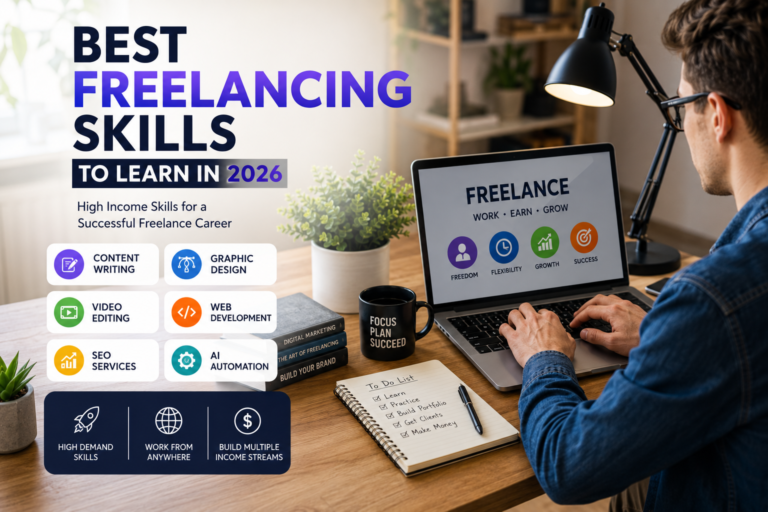
The principle that applies across all professions: don’t add a tool until you’ve identified a specific bottleneck that tool addresses. Random tool adoption increases monthly costs without proportional productivity gains. Use best freelancing skills to learn as a parallel guide for developing the human capabilities that AI tools amplify.
Advanced Workflow Frameworks Using AI Tools for Freelancers
Tool selection is only half the equation. The other half is workflow design — deciding exactly where AI assistance enters your process, what it produces, and how you review and refine that output before it reaches clients. Freelancers who use AI Tools without a clear workflow structure often end up with inconsistent results: sometimes great, sometimes unusable, with no reliable way to predict which they’ll get.
The Six-Stage Freelance AI Framework
| Stage | Human Role | AI Role | Key Tool |
|---|---|---|---|
| 1. Brief Analysis | Interpret client goals, flag ambiguities | Summarize brief, extract key requirements | ChatGPT / Claude |
| 2. Research | Evaluate source quality, add industry expertise | Gather information, synthesize with citations | Perplexity AI |
| 3. Structuring | Adjust for client voice and specific goals | Generate outline, suggest section order | ChatGPT / Claude |
| 4. Production | Write, design, or develop the deliverable | Draft sections, generate assets, suggest code | Claude / Canva / Copilot |
| 5. Quality Review | Final judgment on accuracy, tone, and fit | Grammar check, SEO audit, code review | Grammarly / Rank Math |
| 6. Delivery & Follow-up | Client relationship and context | Draft delivery email, automate follow-up | ChatGPT / Zapier |
Automating Your Business Layer
Production workflow is only one dimension of where AI Tools for Freelancers create value. The business layer — client intake, proposal sending, invoice generation, project folder creation, follow-up sequences — is often where significant time gets lost with no direct client benefit.
Setting up this kind of automation takes time upfront — typically three to six hours depending on the tools involved — but it eliminates daily manual work that can accumulate to four or five hours per week. For freelancers charging $50–100 per hour, that’s $200–500 of recovered billable capacity per week. Explore the full picture in our guide to building an AI automated income system and the companion article on how to make passive income with AI.
Calculating ROI Before You Subscribe to Any AI Tool
One of the most useful habits you can build as a freelancer adopting AI Tools for Freelancers is running a simple ROI calculation before subscribing to any paid platform. Too many freelancers subscribe because a tool sounds useful, use it sporadically, and cancel months later without understanding why it didn’t deliver value. The calculation below prevents that.
The AI Tool ROI Framework
Step 1: Identify the specific task you want the tool to handle.
Step 2: Estimate how many minutes per day that task currently takes.
Step 3: Estimate how many minutes with AI assistance it will take.
Step 4: Calculate daily time saved × your hourly rate.
Step 5: Multiply by 22 working days per month.
Step 6: Compare to monthly subscription cost.
This calculation only works if you reallocate the recovered time to billable work or high-leverage business development. If the recovered time goes to scrolling, the ROI is effectively zero regardless of how impressive the tool is. AI Tools for Freelancers create opportunity; you still need to use that opportunity intentionally. For context on the broader income potential AI unlocks, see our deep dive into 100 ways to make money with AI in 2026.
Hidden Costs Most Freelancers Ignore
Monthly subscription cost is the obvious number. Here’s what usually doesn’t appear in that calculation:
- Learning time: Most AI Tools for Freelancers require two to four weeks of consistent use before you reach the efficiency gains that justify the cost. Factor this in when evaluating early results.
- Prompt development time: Building a library of reliable prompts for your specific use cases takes deliberate effort. It’s worth it — but it’s not instant.
- Integration setup: If the tool needs to connect with your existing workflow (via Zapier, native integrations, or manual processes), that setup requires real time.
- Quality review overhead: AI output always requires human review. If the tool doesn’t save you more time than it costs in review, it’s not actually saving time — it’s just moving it.
- Subscription creep: Adding two or three tools over six months without removing anything can result in $200+ monthly in software costs with diffuse, hard-to-measure benefits. Audit your stack quarterly.
Mistakes Most Freelancers Make When Using AI Tools
Understanding what goes wrong helps you avoid the patterns that lead most freelancers to conclude that AI tools “didn’t work for them” — when the tools were fine and the workflow was the problem.
Mistake 1: Publishing Without Reviewing
The most common and most damaging mistake freelancers make with AI Tools for Freelancers is submitting AI-generated output to clients without meaningful review. AI tools produce plausible-sounding content, not necessarily accurate content. For client work, that distinction is everything. Every deliverable produced with AI assistance requires human review for factual accuracy, tonal appropriateness, client-specific context, and originality. No exception.
Mistake 2: Using One Tool for Everything
ChatGPT can do many things adequately. It excels at a specific subset. Freelancers who route all tasks through one tool — research, writing, editing, design briefs, code — consistently get mediocre results across all of them. The better approach: use the tool that’s specifically strong for each task type, even if that means switching between two or three tools in a single project.
Mistake 3: Treating AI Output as a Finished Product
AI Tools for Freelancers produce inputs to your process, not outputs from it. The final deliverable reflects your judgment, not the AI’s. Freelancers who internalize this produce better work and maintain stronger client relationships than those who treat AI generation as the endpoint.
Mistake 4: Chasing New Tools Instead of Mastering Current Ones
The AI tool landscape launches new platforms constantly. Freelancers who abandon their current stack for each new release accumulate significant switching costs — time spent learning new interfaces, rebuilding prompt libraries, and re-establishing workflows — without commensurate gains. Mastery of a few well-chosen AI Tools for Freelancers consistently outperforms a collection of half-learned tools.
Mistake 5: Ignoring Client Privacy Implications
This one has professional and legal dimensions. Many AI platforms retain conversation data for training or service improvement. Uploading confidential client documents — contracts, financial projections, unreleased campaign strategies — to a platform that retains that data is a potential breach of client confidentiality, even if unintentional. Always review the privacy policy before uploading anything that isn’t yours to share freely.
If you work with clients in regulated industries (healthcare, finance, legal, HR), the data privacy requirements are significantly stricter. Most standard AI Tools for Freelancers are not compliant with HIPAA, SOC 2, or similar frameworks by default. Enterprise or business plans with specific data processing agreements may be required. See our coverage of AI compliance news and the EU AI Act for the latest regulatory developments.
Security, Ethics, and Client Privacy When Using AI Tools for Freelancers
The rapid adoption of AI Tools for Freelancers has outpaced most freelancers’ understanding of the privacy and ethical implications. That gap is worth closing deliberately — not because AI tools are inherently dangerous, but because professional accountability for client information doesn’t disappear when a third-party tool is involved.
Data Practices to Understand Before You Use Any AI Tool
- Data retention: Does the platform retain your conversation data? For how long? Can it be used for model training?
- Opt-out options: Many major AI platforms allow you to disable conversation history and opt out of training data collection. Enable this as a default practice.
- Business vs consumer plans: Enterprise and business-tier plans typically offer stronger data protection agreements than consumer-tier plans. If you work with sensitive client information regularly, evaluate whether a business plan is appropriate.
- Geographic compliance: If you work with European clients or handle data covered by GDPR, verify whether the AI platform’s data processing practices meet those requirements. The AI regulation news in the EU and US page tracks relevant developments.
Ethical Use of AI in Client Work
The professional ethics question around AI Tools for Freelancers is genuinely nuanced. Most clients don’t expect — or need to know — that you used AI assistance to draft a proposal, structure a report, or check code syntax. Using a grammar checker is AI-assisted work; no one discloses that. The expectation most clients have is that deliverables are original, accurate, and reflect your expertise. As long as those conditions hold, AI assistance is a workflow tool, not a disclosure obligation. However:
- If a client specifically asks whether deliverables were AI-generated, be honest.
- If a contract specifies no AI use, respect that agreement.
- Never present AI-generated research, statistics, or citations as verified facts without independently checking them.
- For creative work — particularly branding, copy, and design — ensure that AI-assisted outputs are substantially transformed by your own creative judgment before delivery.
Future Trends in AI Tools for Freelancers
Understanding where AI Tools for Freelancers are heading helps you build a stack that won’t need replacing in eighteen months. The most important trends shaping the next phase of AI for independent professionals:
Multi-Step AI Agents
Current AI tools largely work turn-by-turn: you give a prompt, the AI responds, you evaluate and iterate. The next generation of AI Tools for Freelancers will increasingly operate as agents capable of executing multi-step tasks autonomously — research a topic, draft a document, check it against a style guide, format it appropriately, and stage it for your review. Several platforms are already in early versions of this. When agent-based workflows mature, the workflow framework described in this guide will shift significantly — the AI will handle more consecutive steps with less prompt engineering between them. Follow developments on the future of AI page.
Deeper Software Integration
AI capabilities are increasingly being embedded directly into platforms freelancers already use — project management, design tools, communication platforms, invoicing software. This reduces the switching cost of AI adoption and makes AI Tools for Freelancers feel less like a separate workflow and more like an ambient layer of assistance within existing tools.
Personalization at the Workflow Level
Future AI systems are expected to adapt more effectively to your individual writing style, your preferred document structures, your recurring client communication patterns, and your specific prompt history. The manual work of building prompt libraries today will likely be partially automated by tools that learn your preferences over time.
AI Search Is Changing How Clients Find Freelancers
Google AI Overviews, ChatGPT Search, Perplexity, and Gemini are changing how potential clients research freelance services. If you publish content that helps your target clients — guides, tutorials, comparisons — those AI systems increasingly surface that content in response to relevant queries. AI Tools for Freelancers can help you produce that content more efficiently, creating a compounding advantage over time. Tools like Ziptie AI’s search performance tool are designed specifically for this emerging landscape.
Ready to build your AI freelance system?
Browse the full AI Freelance Flow resource library — proposal generators, bid optimizers, income strategies, and SEO tools built specifically for independent professionals.
Explore All AI Tools for Freelancers →Pinterest Strategy for Freelancers Using AI Tools
Why Pinterest Matters for Freelancers in 2026
Pinterest is a visual search engine, not a social network. Content published on Pinterest has a median lifespan measured in months or years, not hours. For freelancers who publish educational content around AI tools, productivity systems, and freelance business strategies, Pinterest is one of the highest-ROI long-term traffic channels available — particularly because it reaches an audience with strong commercial intent.
- AI workflow infographics perform consistently on Pinterest’s search algorithm
- Comparison graphics (e.g. “ChatGPT vs Claude for Writers”) generate strong engagement
- Checklist graphics — “AI Tools for Freelancers: Starter Stack” — pin well and click through to guides
- Step-by-step process diagrams serve Pinterest’s visual-search audience effectively
Pinterest Content Ideas for This Topic
Comparison Pins
“ChatGPT vs Claude: Which AI Tool Is Right for Your Freelance Business?” — comparison table graphic with clear visual hierarchy.
Workflow Diagrams
“How a Freelance Writer Uses AI Tools in Every Project Stage” — a visual flowchart of the 6-stage framework from this guide.
Checklist Graphics
“AI Tools for Freelancers: 90-Day Implementation Checklist” — a downloadable-style checklist graphic with the roadmap phases.
Stack Guides
“The AI Tool Stack for Freelance Designers in 2026” — a visual breakdown of tools by category with brief explanations of each.
Pinterest SEO for AI Freelance Content
Pin titles and descriptions should include the specific keyword phrase and related terms naturally. “AI Tools for Freelancers 2026 — Complete Starter Stack” outperforms “AI Tools Guide” significantly in Pinterest search. Include the primary keyword in the first 100 characters of your description. Use Canva AI to produce the visuals efficiently, then publish Fresh Pins weekly from your published guides rather than batching and slowing down.
90-Day Implementation Roadmap for AI Tools for Freelancers
This roadmap assumes you’re starting from a low baseline of AI tool integration. If you’re already using one or two tools daily, start at Day 31.
Days 1–15: Foundation
Choose one AI tool (recommend starting with ChatGPT). Use it daily for one specific task — proposal drafts, email responses, or content outlines. Build your first five reusable prompts.
Days 16–30: Habit
Add a second tool that addresses a different bottleneck (Grammarly for editing, Perplexity for research). Track weekly time saved. Refine your prompt library based on what works.
Days 31–45: Workflow
Map your full project workflow and identify every point where AI assistance is possible. Build AI entry points at each stage. Standardize your review process to maintain quality.
Days 46–60: Automation
Add Zapier or Make to automate your business layer — client intake, invoice generation, follow-up sequences. Identify the three highest-friction repetitive tasks and automate them.
Days 61–75: Optimization
Audit your stack. Remove any tool you haven’t used productively in 30 days. Invest the recovered subscription budget in deeper access to the tools delivering genuine results.
Days 76–90: Scale
With consistent time savings established, identify how to convert recovered hours into higher revenue — additional clients, premium service tiers, or passive content income. See AI money making strategies for ideas.
What to Measure at 90 Days
- Weekly hours spent on non-billable administrative tasks (should decrease)
- Proposal response rate and turnaround time (should improve)
- Monthly revenue and client capacity (should increase if you’ve redeployed saved time)
- Tool stack monthly cost vs estimated time value of AI assistance
- Quality feedback from clients (should be neutral or improved)
Frequently Asked Questions About AI Tools for Freelancers
Are AI tools worth it for beginning freelancers?
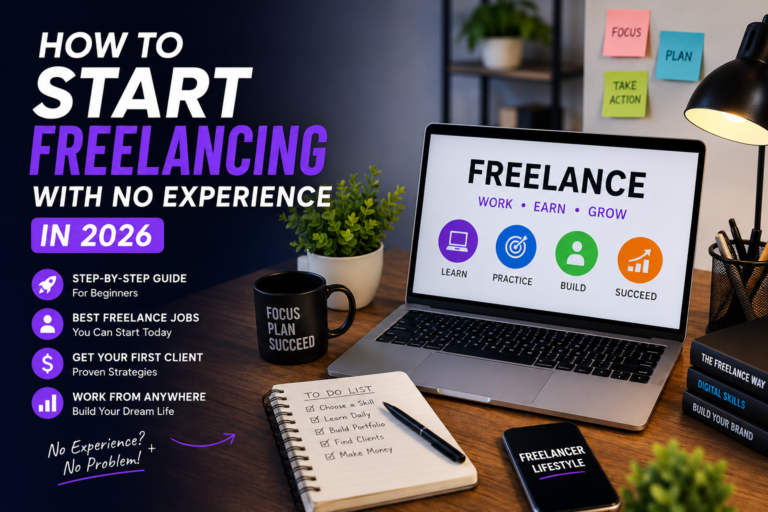
Yes — with an important caveat. AI Tools for Freelancers amplify existing skills; they don’t substitute for them. A beginning freelancer who hasn’t yet built core competency in their service area will find that AI assistance produces mediocre outputs that they lack the expertise to recognize as mediocre or improve significantly. The highest ROI from AI tools comes after you have a working professional baseline. That said, tools like Grammarly, Perplexity, and ChatGPT for research and outline assistance are genuinely valuable from day one.
Which AI tool is most important for freelancers to start with?
Start with ChatGPT or Claude depending on your primary work type. ChatGPT for a broader range of tasks; Claude for long-form writing, document analysis, and nuanced editorial work. Add Grammarly as your second tool — it’s low-cost, immediately useful, and adds a quality layer to every piece of client communication you send. Everything else depends on your specific profession.
How do I know if an AI tool is saving me time?
Track it explicitly for two weeks. Before adopting an AI tool, time how long your target task takes. After two weeks of AI-assisted use, time it again. If the reduction is less than 30%, either the tool isn’t right for the task or your prompting approach needs refinement. Most AI Tools for Freelancers produce time savings of 40–70% on repetitive tasks when properly integrated — but that requires deliberate prompt development, not just typing the first question that comes to mind.
Should I tell clients I use AI tools?
There’s no universal rule here, and the freelance community holds a range of views. The reasonable professional position: disclosure is appropriate when a client asks directly, when a contract specifies it, or when the AI-assisted nature of the work is central to the deliverable. Using AI to draft an email or outline a report is comparable to using spell check — normal professional practice. Using AI to generate the primary creative work you’re being paid for involves more nuance, particularly if the client is paying for your original creative output specifically.
Can AI tools help freelancers earn more money?
Yes — through two mechanisms. First, by recovering non-billable hours that can be redirected to additional client work. Second, by improving the quality and speed of deliverables in ways that support higher rates and better client retention. There are also emerging income opportunities where AI Tools for Freelancers are directly connected to revenue generation — building and selling digital products, creating AI-enhanced service tiers, or developing passive income streams. See best AI side hustles and AI passive income generator for specific strategies.
Will AI replace freelancers?
AI will not replace most professional freelance services in the near term — but it will significantly change the competitive dynamics within those services. Freelancers who compete primarily on execution speed for standardized tasks (standard logo design, templated copywriting, repetitive data work) face more disruption than those who compete on strategic judgment, deep domain expertise, creative originality, or client relationship quality. The sustainable position is to use AI Tools for Freelancers to handle execution so your human hours can focus on the dimensions AI genuinely can’t replicate yet.
How many AI tools should a freelancer use?
Two to four well-chosen tools used consistently outperform eight loosely used tools in almost every case. Each additional tool adds a learning cost, a switching cost, and a monthly subscription fee. The right number is the one that addresses your actual bottlenecks without adding administrative complexity. Start with two, audit your usage after 60 days, and add only when you’ve identified a specific gap the new tool fills that your existing stack doesn’t.
Final Checklist: Are You Ready to Use AI Tools for Freelancers Effectively?
- I’ve identified the three tasks in my workflow that consume the most non-billable time.
- I’ve chosen one or two AI tools that specifically address those tasks.
- I’ve built at least five reusable prompts for my most common task types.
- I review all AI-generated output before delivering it to clients.
- I’ve checked the privacy policy of every AI tool I use for client data handling.
- I’ve calculated the ROI of each paid subscription I’m running.
- I’m tracking my weekly non-billable hours to measure whether AI is actually saving time.
- I’ve identified how I’m reallocating recovered time to higher-value activities.
- I’ve set a 60-day audit reminder to review and refine my stack.
- I understand that AI tools amplify my skills — they don’t replace them.
AI Tools for Freelancers are not a shortcut to success. They’re a leverage system — and leverage multiplies whatever you bring to it. A skilled freelancer with strong AI tool integration builds a business that’s more efficient, more scalable, and more competitive than one running on effort alone. A poorly skilled freelancer who relies on AI output doesn’t get that result; they get mediocre work faster.
The goal is simple: spend your human hours on the work that genuinely requires human judgment, and use AI tools to handle everything else. Start small, measure the results, and build from there. The freelancers who do this well are building businesses in 2026 that would have required a support team a decade ago.
More from AI Freelance Flow
Income & Side Hustles
- How to Make Money Online
- Best AI Side Hustles
- AI Money Making Guide
- AI Passive Income Generator
- How to Make Passive Income With AI
- 100 Ways to Make Money With AI (2026)
- AI Money-Making Apps
- The AI Revolution & Making Money
- How to Make Money With AI Art
- Make Money With AI for Free
- Passive Earnings With AI
- AI Automated Income System
- Free AI Tools to Make Money Online
- How Do AI Companies Make Money
Tools, Platforms & SEO
- Best AI Tools for Freelancers
- Top AI Tools Overview
- Best AI Tools for Content Creation
- Best Websites for Freelancers
- AI Proposal Generator for Freelancers
- Upwork Proposal Automation
- AI Tools to Optimize Bids
- Best Freelancing Skills to Learn
- Drovenio AI Tools (2025)
- Ziptie AI Tool
- Ziptie SEO
- Why Choose Ziptie AI Search Analytics
- Ziptie AI Search Performance Tool
- How Effective Is Ziptie AI Search Optimization